
Welcome to Cut Detector (beta)
Making cut detection intuitive & fun
A standalone app for automatic cut detection in video files,
powered by Brandon Castellano’s PySceneDetect.
Refine analysis results to get precise cuts tailored to your workflow.
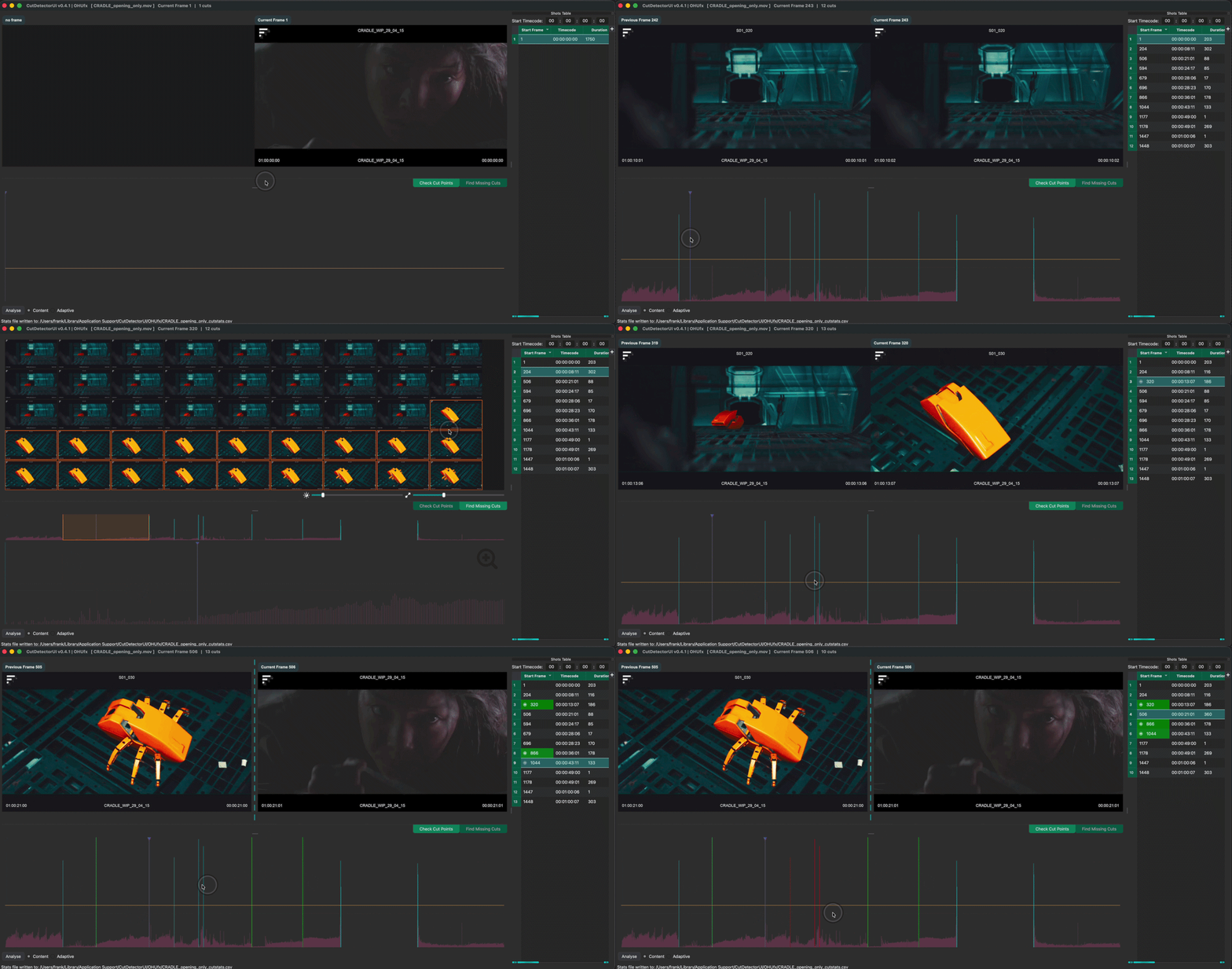
Automatic Cut Detection
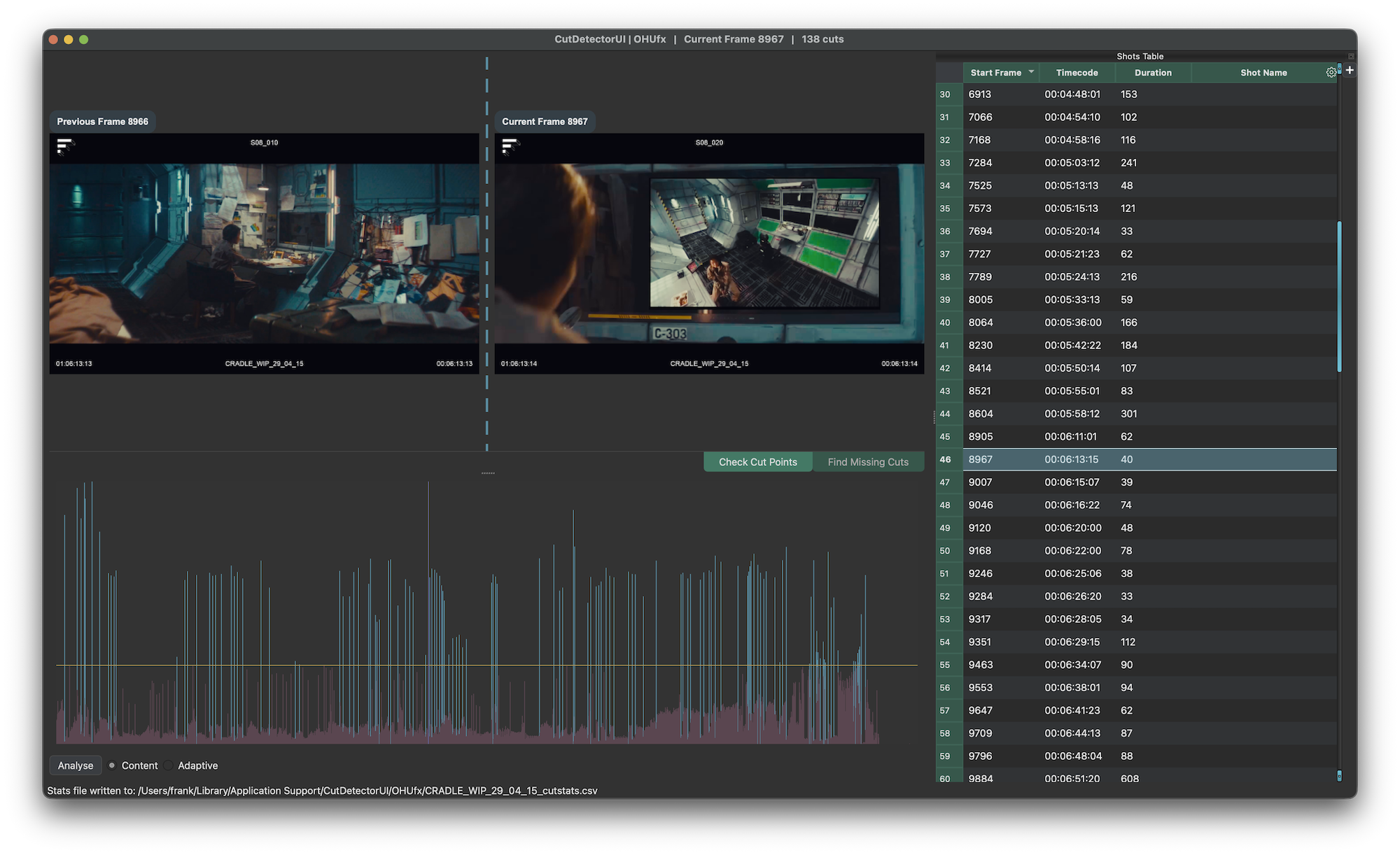
Stop wasting time by manually cutting up reference clips!
CutDetector automatically detects cuts in a video clip and visualises them in a Spike Graph.
Drag a box around a region to limit the cut detection to a specific area (e.g. a burn-in).
Quickly verify the detection results with the dual viewer UI.
Realtime Shot Extraction
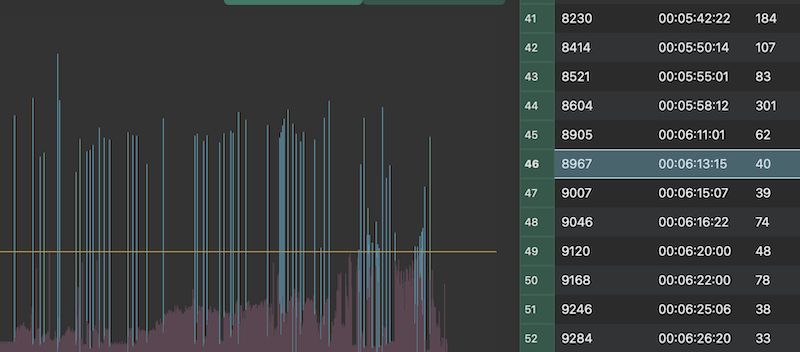
The analysis data is automatically saved so that each clip only has to be analysed once (even between sessions).
The threshold line can be moved to define which of the spikes signify an actual cut and produce an entry in the shots table.
Stay in Control
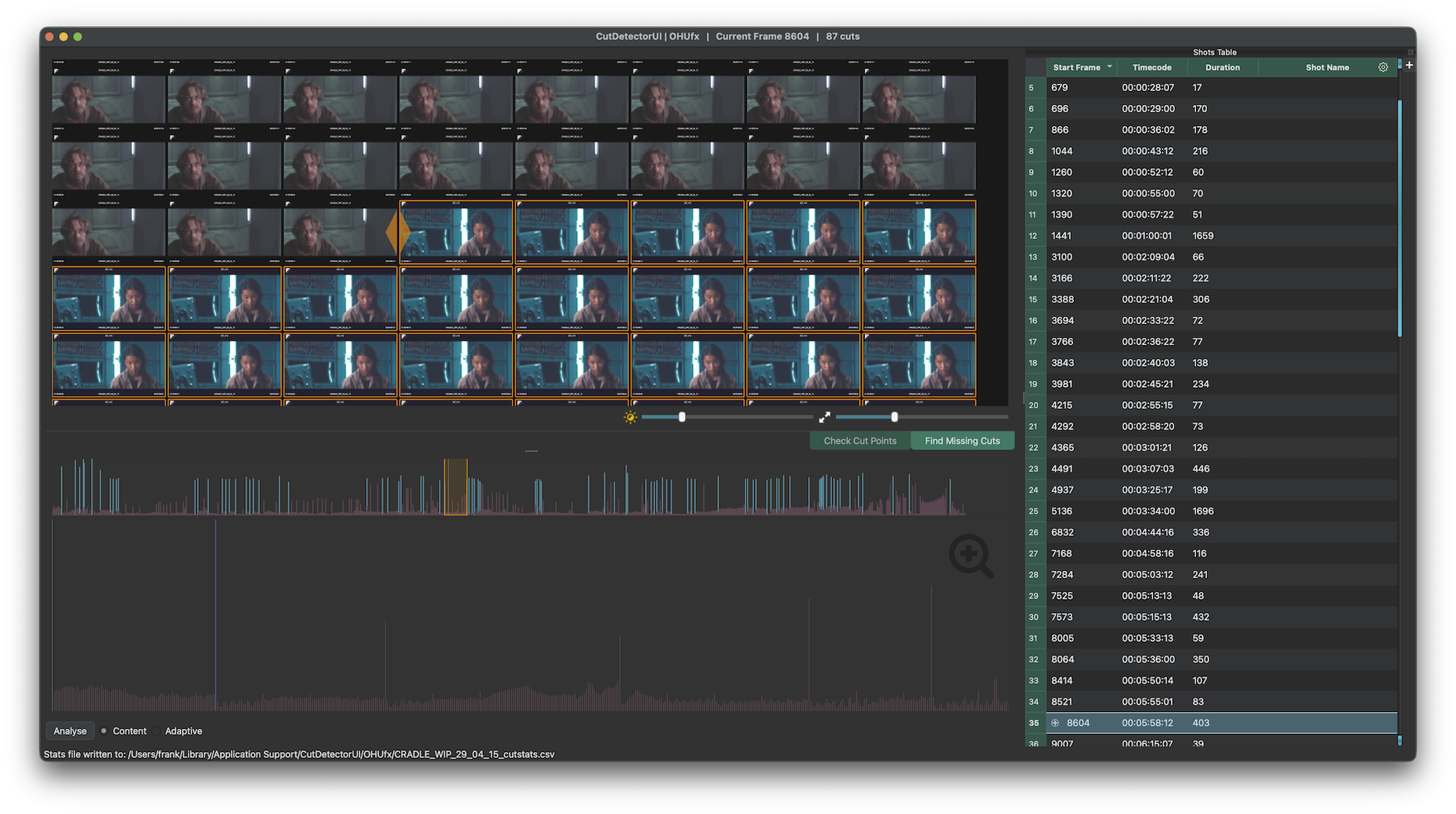
Clean up the auto-detection with intuitive tools that give you full control.
False positives can simply be selected in the Shots Table and deleted.
Missing cuts can easily identified and added via the ContactSheet View
Manual edits are visualised in the Graph View and saved in the session even when the threshold changes later.
Interact with the Data
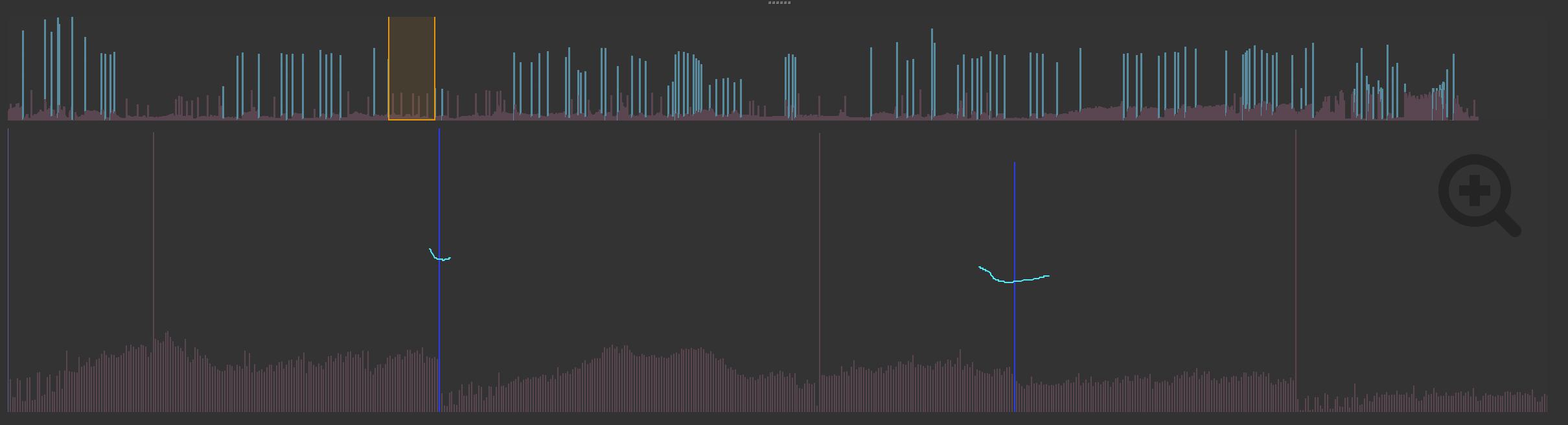
Don't just look at the analysis result, interact with it!
Data spikes can be selected with paint strokes to add them as a manual edit (or to delete false positives).
Text Extraction
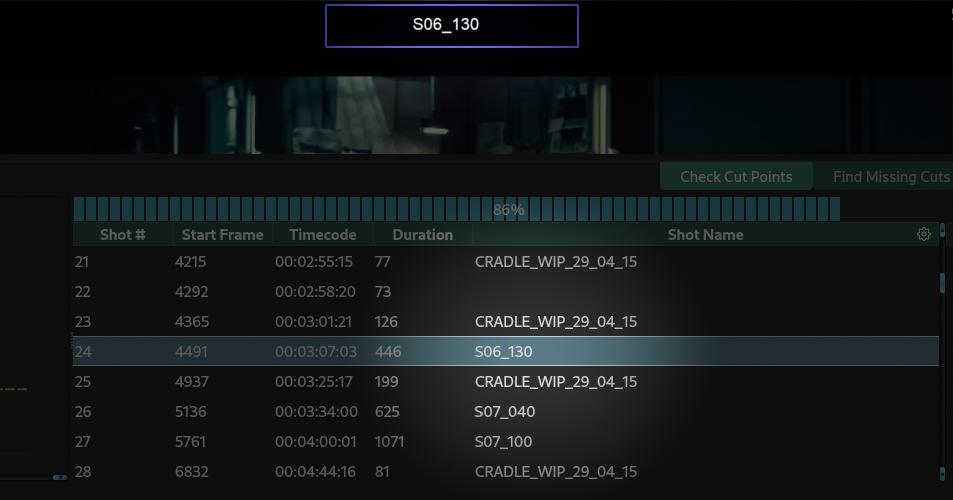
Grab editable text directly from the video burn-ins!
CutDetector uses Tesseract to extract text from images.
Want to extract text from a burno-in like shot IDs, vfx notes, source timecodes etc?
Simply drag a rectangle to define the area you want extract text from and send the result to a column of your choice in the Shots Table.
Prepare the Data You Need
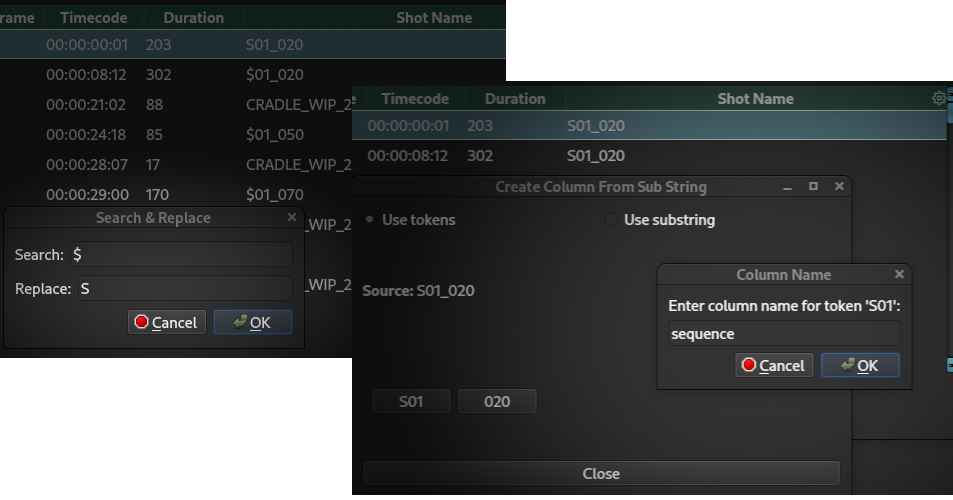
Full control for 100% results.
Extracted data can be edited in the Shots Table via search&replace, new columns can be added to hold more text.
Text parse an existing column to create a new one, e.g.
make a sequence column "010" from a shot column holding data like "010_0020".
Export editorial data
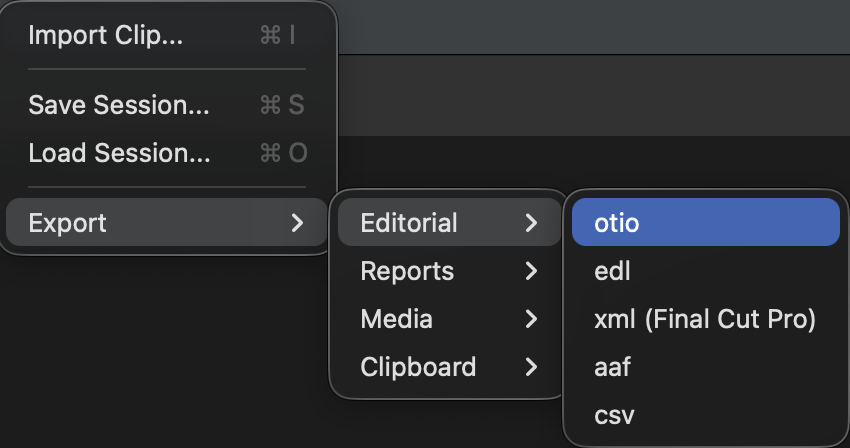
Export to the most common editorial formats:
- otio
- edl
- xml
- aaf
- csv
Export Reports
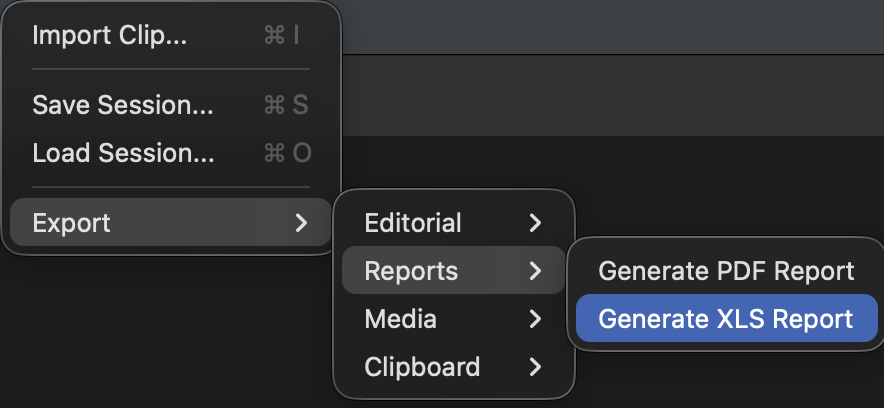
Export pdf or xls reports with thumbnails.
Export media
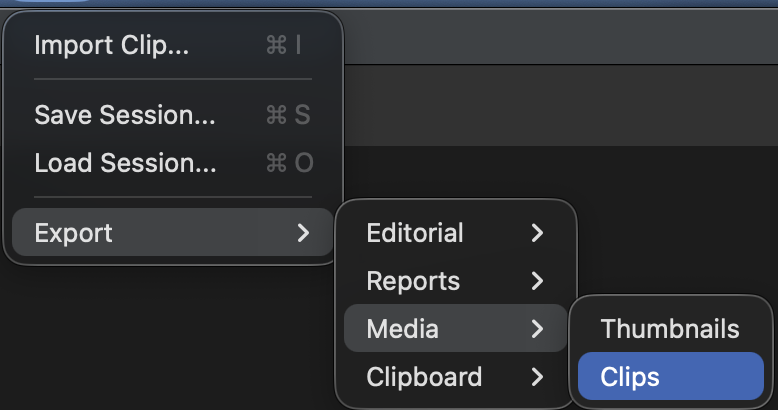
Export subclips (mp4) and thumbnails (1024px wide jpg)
ffmpeg is required for exporting clips
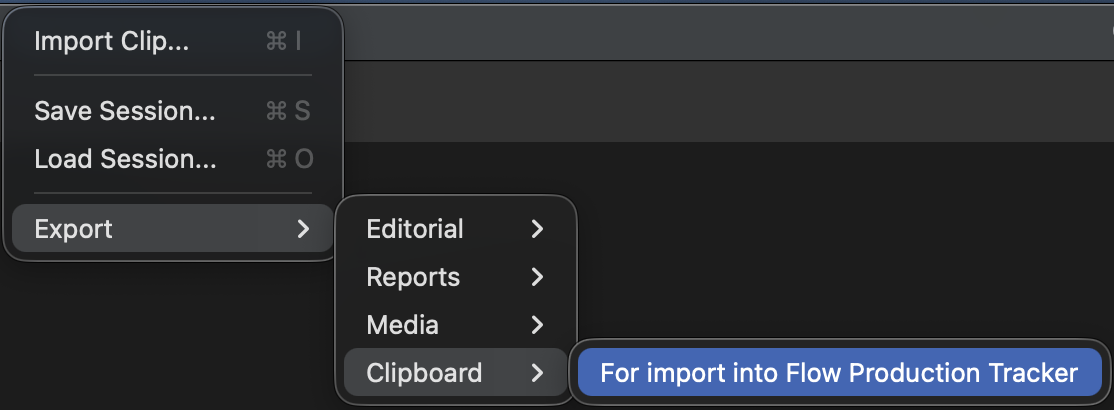
Integration with Foundry's Hiero
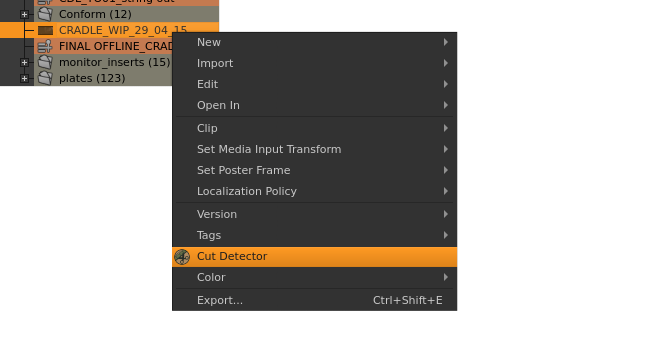
Using Hiero?
Run CutDetector on a selected bin item and create a sequence on the fly without the need for exporting/importing.